
Captive Portal Guide
A Practical Guide to Guest WiFi, Splash Pages, and Vouchers
From hotels and cafés to retail stores and event venues, captive portals turn a simple WiFi connection into a powerful engagement and revenue tool. This guide explains what a captive portal is, how captive portal templates and splash pages work, common setup options, and proven strategies for captive portal monetization using vouchers and guest authentication.
What Is a Captive Portal?
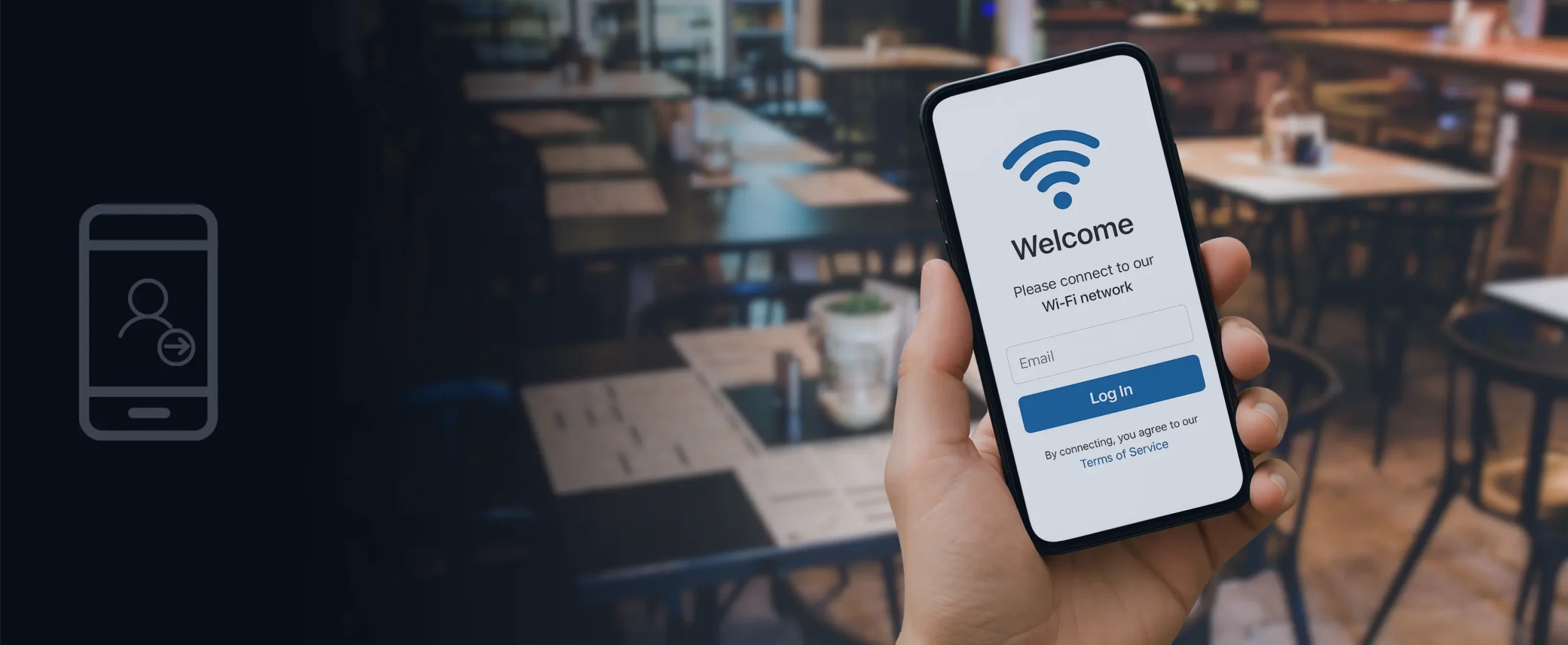
A captive portal is a web page that appears automatically when a user connects to a guest WiFi network. Before full internet access is granted, visitors must interact with this page by logging in, accepting terms, or entering an access code. Captive portals are commonly used to authenticate guests, collect first-party customer data, deliver marketing messages, and keep internal business networks secure and privacy-compliant.
Common Captive Portal Features
- Login forms (email, SMS, account-based access)
- Vouchers or access codes
- Social media sign-in options
- Promotional content, offers, or announcements
Captive Portal Templates: Fast Setup for Any Business
Modern WiFi platforms include captive portal templates, which are pre-designed layouts that allow businesses to deploy professional guest WiFi portals in minutes.
What Captive Portal Templates Allow
- Brand customization (logos, colors, welcome messages)
- Multiple login types (email, SMS, social media, vouchers, PMS login)
- Terms of service and consent checkboxes
- Promotions, upsells, and voucher redemption flows
Using templates reduces setup time, ensures a consistent brand experience, and removes the need for technical expertise.
WiFi Captive Portal Setup: Step-by-Step
A proper WiFi captive portal setup focuses on security, usability, and measurable results. Most deployments follow these steps:
- Define network access rules and separate guest WiFi from internal networks
- Select an authentication method such as email, SMS, vouchers, or PMS access
- Design the captive portal using a template or custom splash page
- Add branding and promotions including offers or loyalty programs
- Enable analytics and tracking for logins, devices, and dwell time
- Test and launch across mobile, tablet, and desktop devices
Captive Portal Monetization: Turning WiFi into Revenue
A captive portal can generate revenue in addition to providing connectivity.
Common captive portal monetization strategies include:
- Paid WiFi access: free basic access with premium speed or time upgrades
- Voucher-based WiFi: prepaid or point-based access codes
- Sponsored splash pages: partner ads or branded promotions
- Upsells and promotions: services, products, or loyalty programs
- Email and SMS capture: build marketing audiences for future campaigns
Hotels, cafés, retail stores, and public venues commonly use these methods to increase revenue while improving the guest experience.
Benefits of Using a Captive Portal
- Secure guest access without exposing internal networks
- Stronger branding through a consistent login experience
- Data-driven marketing using first-party customer data
- Monetization opportunities from guest WiFi usage
- Improved user experience with fast, clear login flows
Captive Portal Best Practices
- Keep login forms simple and mobile-friendly
- Display a clear privacy policy and consent checkbox
- Test across devices, browsers, and operating systems
- Use analytics to optimize campaigns and conversions
- Refresh portal content regularly to maintain engagement
Conclusion
A captive portal is more than a WiFi login page. It is a powerful tool for guest engagement, marketing, and revenue generation. By using templates, following best-practice setup, and applying smart monetization strategies, businesses can turn guest WiFi into a measurable business asset.