
Router with Captive Portal for Guest WiFi
A Business Guide to Captive Portal Gateways
A router with captive portal is the control point between a business internet connection and the public guest WiFi network. It manages the WiFi login page, authentication, access rules, bandwidth limits, guest isolation, and local session handling from the gateway level. Instead of depending only on access points, cloud controllers, or basic router guest networks, a dedicated captive portal router gives hotels, cafés, retail stores, and venues more control over how guests connect, how data is handled, and how the guest network is separated from internal business systems.
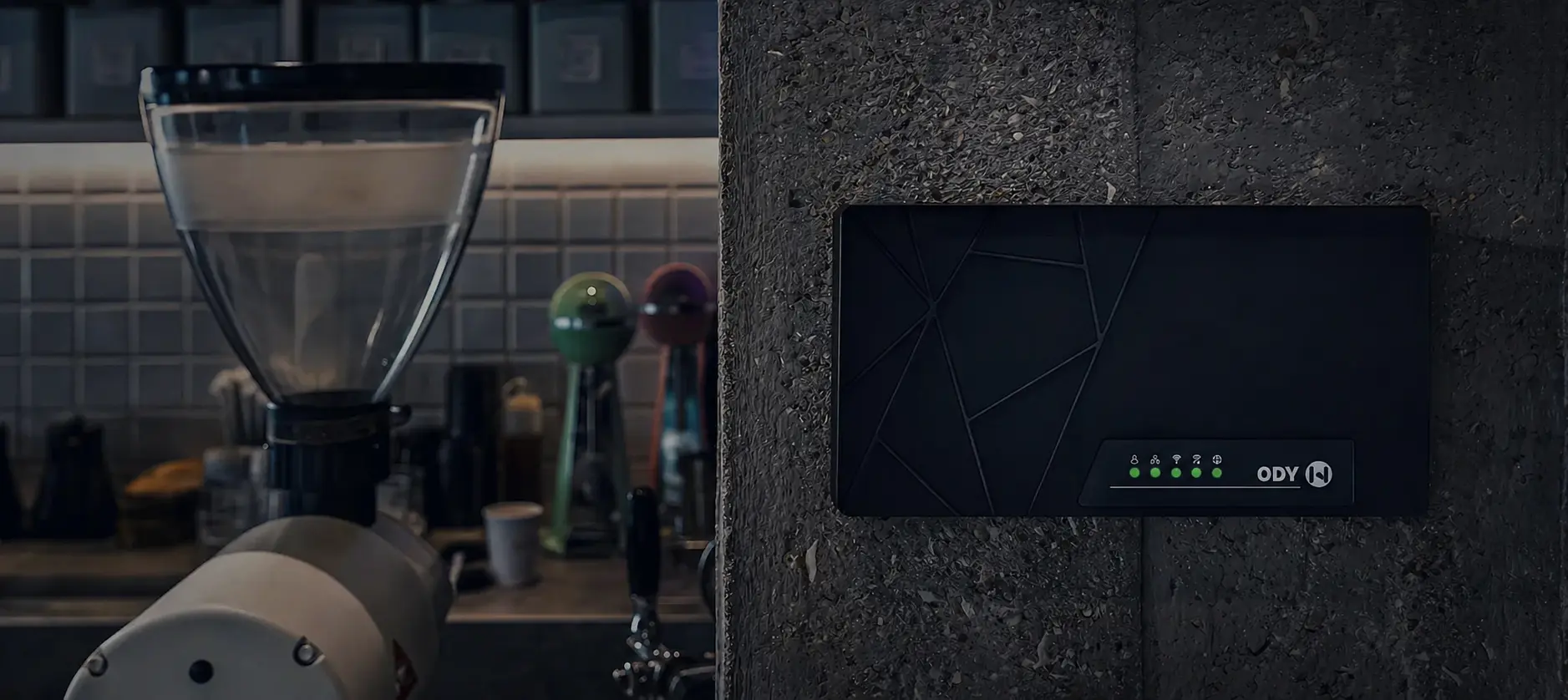
What Is a Router with Captive Portal?
A router with captive portal is a gateway device that controls guest WiFi access through a login or splash page before allowing users to browse the internet. When a visitor connects to the guest WiFi network, the router redirects them to a branded captive portal page where they can accept terms, enter a voucher code, log in with email, verify by phone, or use another supported authentication method.
The main difference from a standard router is that the captive portal router is designed for managed guest access. It does not simply provide internet connectivity. It controls who connects, how long they stay connected, what rules apply to each session, and how guest traffic is separated from the private business network.
A captive portal router is commonly used in:
- Hotels, resorts, and hostels
- Cafés and restaurants
- Retail stores and shopping malls
- Events, stadiums, and entertainment venues
- Co-working spaces and public areas
- Managed guest WiFi deployments across multiple locations
For these environments, the router becomes the central gateway for guest WiFi control, authentication, isolation, and visitor access management.
How a Captive Portal Router Fits Into the Network
A router with captive portal is usually installed between the main internet connection and the guest WiFi infrastructure. Access points broadcast the wireless signal, while the captive portal router manages authentication, access rules, session limits, bandwidth control, and guest traffic separation.
A typical setup works like this:
- Main internet connection
The venue connects its ISP router or modem to the captive portal router. - Captive portal router or gateway
The router becomes the control point for guest WiFi access, login rules, and traffic handling. - Access points
Existing or new access points broadcast the guest WiFi network across the venue. - Guest devices
Visitors connect using phones, tablets, laptops, or other WiFi devices. - Captive portal login
The router redirects guests to the branded login page before internet access is granted.
This gateway-based approach allows the business to keep control of the guest WiFi network without depending only on the access point brand or a third-party cloud controller.
Why a Captive Portal Router Matters
Basic routers can provide internet access, but they usually do not offer proper guest authentication, branded login pages, voucher control, session management, guest data handling, or marketing tools. A captive portal router adds these features directly at the network gateway level.
This is important because a guest WiFi network needs more than a password. Businesses need to control access, protect internal systems, manage usage, and create a professional login experience for visitors.
A captive portal router helps with:
- Network separation between public guests and internal business devices
- Guest access control with login methods, vouchers, time limits, and session rules
- Branded WiFi login pages for a more professional guest experience
- Bandwidth and usage control to avoid abuse or overloaded connections
- Local session handling so the gateway remains the core control point
- Visitor data collection when enabled by the operator
- Optional marketing and monetization through offers, coupons, and paid access
For hospitality, cafés, retail, and venues, the captive portal router becomes the practical bridge between public internet access and controlled business infrastructure.
Router with Captive Portal vs Standard Router
A standard router is mainly designed to share an internet connection. Some models include a basic guest network, but this is usually limited to a separate WiFi name and password. For businesses that need managed guest access, this is often not enough.
A router with captive portal is different because it adds guest WiFi management features that are designed for real business environments.
- Standard router: Provides internet access and basic network routing
- Captive portal router: Provides internet access, guest login, access rules, isolation, session control, and visitor management
- Standard router: Usually relies on a shared WiFi password
- Captive portal router: Can use vouchers, email login, phone verification, click-through access, room login, or paid access
- Standard router: Offers limited guest visibility
- Captive portal router: Can show guest sessions, returning users, voucher usage, and access history
This makes a captive portal router a better fit for venues that want guest WiFi to be controlled, branded, and separated from the internal network.
Router with Captive Portal vs Access Point Controller
Some access point systems include captive portal features inside their own controller or cloud platform. This can work well in some deployments, but it may also lock the business into one hardware brand, one management platform, or one subscription model.
A dedicated captive portal gateway gives the operator more flexibility because the guest WiFi logic is handled at the router level. The business can often keep its existing access points and use the gateway to manage the captive portal, access rules, authentication, and guest sessions.
This approach is useful when a business wants to:
- Use different access point brands across different locations
- Avoid replacing working WiFi infrastructure
- Keep guest access control independent from the AP ecosystem
- Reduce dependency on controller-locked captive portal features
- Manage the guest network from the gateway instead of the access point layer
For many hospitality and venue deployments, this makes the captive portal router a cleaner and more flexible solution.
Standalone Captive Portal Router Operation
One of the main advantages of a standalone captive portal router is that the core guest WiFi logic runs locally on the device. The router can manage guest authentication, access rules, vouchers, session limits, and captive portal behavior without requiring every basic function to depend on an external cloud service.
Standalone operation gives businesses more control over their guest WiFi infrastructure. The venue does not need to rely only on a cloud-only platform, an access point controller, or an ongoing subscription just to operate basic guest WiFi access.
Key benefits of standalone operation include:
- Local control over guest access and portal settings
- No forced cloud dependency for basic captive portal operation
- Works with many access point brands instead of being tied to one ecosystem
- Better ownership of guest data because the operator controls how data is stored and used
- Flexible deployment for small venues, hotels, multi-site businesses, and managed service providers
- Reduced subscription pressure compared with platforms that require ongoing fees for basic guest WiFi features
Cloud management can still be useful for remote access, multi-location control, reporting, configuration sync, or advanced services. The important difference is that the local captive portal router remains the core control point of the guest WiFi network.
Works with Existing Access Points
A router with captive portal does not need to replace every access point in the building. In many deployments, the access points continue to provide wireless coverage, while the captive portal router manages the guest login flow and access rules from the gateway.
This is useful for businesses that already have WiFi equipment installed. Instead of rebuilding the whole network, the business can add a captive portal gateway to control guest access more professionally.
This approach can help businesses:
- Keep existing access points where coverage is already good
- Add captive portal login without replacing the full WiFi system
- Use one guest access control layer across different AP brands
- Upgrade the guest WiFi experience step by step
- Separate the wireless coverage layer from the guest access management layer
For hotels, cafés, retail stores, and venues, this can reduce deployment complexity and make the project easier to manage.
Guest Network Isolation and Security
Guest WiFi should never expose internal business systems, staff devices, payment terminals, office computers, printers, or management interfaces. A captive portal router helps create a clear separation between public guest traffic and private network resources.
Guest network isolation is important because visitors are temporary and unknown users. Even when the goal is to provide simple internet access, the business still needs to protect its internal infrastructure.
A proper guest WiFi gateway should support:
- Separation between guest and internal networks
- Firewall rules to restrict access to private systems
- Session limits to control how long guests stay connected
- Bandwidth limits to prevent one user from consuming the full connection
- Controlled access policies based on login type, voucher, or plan
- Admin access protection so guests cannot reach management interfaces
This makes the captive portal router an important part of a professional guest WiFi deployment, not just a login page.
Guest Data Handling and Ownership
Guest WiFi systems may collect data such as email addresses, phone numbers, login timestamps, session duration, device identifiers, voucher usage, or authentication history. This information can be useful for analytics and marketing, but it must be handled carefully.
A router with captive portal helps the business define how guest data is collected, stored, and used. In a standalone model, the operator has more control over the local system and can decide which authentication methods, retention policies, integrations, and marketing features are enabled.
Good guest data handling should include:
- Clear consent before collecting personal data
- Transparent terms of use on the captive portal page
- Controlled access to guest records and analytics
- Data minimization by collecting only what the business actually needs
- Secure network separation between guest users and internal systems
- Optional integrations with email, SMS, CRM, PMS, or other business platforms when required
The business operating the guest WiFi should always understand what data is collected, where it is stored, and why it is being used. A captive portal router gives the operator the tools to manage this process more directly.
Authentication, Vouchers, and Access Rules
A captive portal router should support different access methods so each business can choose the right flow for its guests. A café may prefer quick voucher access, a hotel may need room-based login, while a venue may want time-limited access or paid WiFi plans.
Common captive portal access methods include:
- Click-through login for fast and simple access
- Email login for guest contact collection
- Phone number login with OTP for stronger verification
- Voucher or access code login for cafés, events, and co-working spaces
- Room number and surname login for hotels and resorts
- Paid access for premium internet plans or time-based usage
- Custom access rules based on time, speed, session duration, or user type
The value is not only the login method itself. The value is that the router can apply network rules after login, such as speed limits, session duration, expiration time, or access plan.
Gateway-Level Analytics and Marketing
A router with captive portal can provide useful information about guest WiFi usage because it sits at the gateway level. It can see when guests connect, how they authenticate, how long sessions last, and how often users return.
Typical gateway-level insights include:
- Connected guest sessions
- New versus returning visitors
- Session duration
- Voucher usage
- Login method performance
- Peak connection times
- Bandwidth usage
- Access plan or package usage
These insights can support practical business actions, such as sending offers after login, promoting premium access, understanding repeat visits, or improving the guest WiFi experience. For a broader overview of guest WiFi analytics and monetization, businesses can also review a dedicated guest WiFi strategy guide.
Where to Use a Router with Captive Portal
Hotels and Resorts
A captive portal router can support room-based login, branded access pages, guest network isolation, upsell messages, and integration with hospitality systems.
Cafés and Restaurants
Cafés can use a captive portal gateway to provide simple guest access, issue vouchers, collect emails, promote menu items, and apply time-limited access rules.
Retail Stores and Shopping Malls
Retail environments can use captive portal access to understand visitor behavior, promote discounts, and build a controlled guest WiFi experience.
Venues and Events
Events can use voucher access, sponsored login pages, paid WiFi plans, bandwidth limits, and visitor engagement campaigns.
Co-working Spaces
Co-working spaces can manage temporary users, paid access, voucher codes, and different access rules for members, guests, and short-term visitors.
How to Choose the Right Router with Captive Portal
When choosing a router with captive portal, businesses should look beyond basic WiFi access. The right solution should match the venue size, number of expected guests, authentication requirements, data handling needs, and the level of network control the operator wants.
Important features to consider include:
- Standalone captive portal operation
- Support for existing access points
- Guest network isolation
- Voucher, email, phone, and click-through login
- Branded splash page builder
- Bandwidth and session control
- Gateway-level guest analytics
- Data ownership and export options
- Optional cloud management for multi-site deployments
- No forced subscription for basic operation
A good captive portal router should give the business control, flexibility, and a clear path to grow without replacing the entire WiFi infrastructure.
Final Thoughts
Guest WiFi is no longer just a password on a router. For hotels, cafés, retail stores, and venues, it is part of the customer experience, the network security model, and the business engagement strategy.
A router with captive portal gives businesses a practical way to manage guest access from the gateway level. With standalone operation, support for existing access points, guest network isolation, responsible data handling, and optional cloud management, a captive portal router provides a strong foundation for secure and professional guest WiFi.
WAVER provides standalone captive portal gateways designed for professional guest WiFi deployments, with local operation, branded login pages, vouchers, guest isolation, analytics, and optional cloud management.