
Best Captive Portal Router for Business WiFi
What to Look For in a Business Guest WiFi Gateway
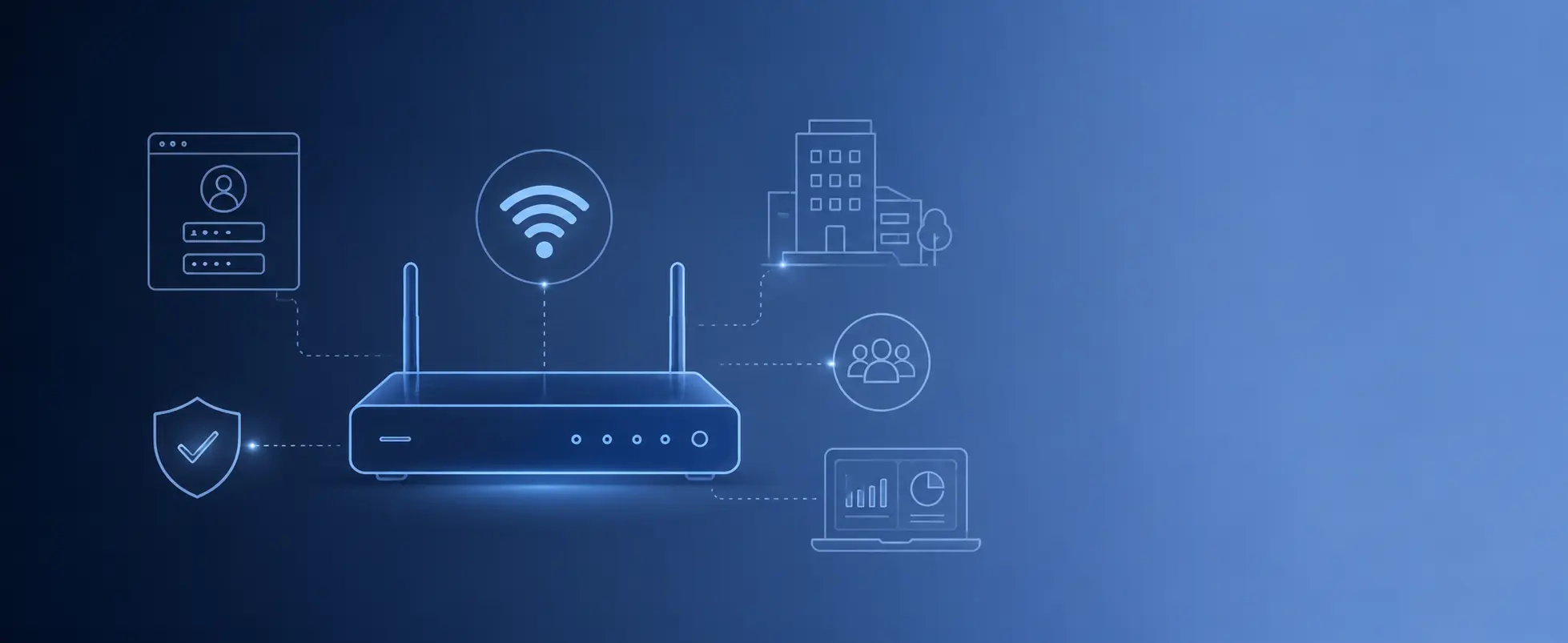
Choosing the best captive portal gateway for business WiFi is not only about buying a router with a login page. A business guest WiFi network needs proper access control, branded login pages, guest isolation, vouchers, bandwidth limits, analytics, and a setup that works with the existing network. The right solution should make guest WiFi easier to manage, not more complicated.
What Businesses Really Need From Guest WiFi
Most businesses do not wake up thinking, “we need a captive portal router.” They usually have a more practical problem.
Guests are asking for WiFi. The shared password is being passed around. Visitors stay connected for too long. One user consumes too much bandwidth. Staff devices are too close to the public guest network. The login experience looks unprofessional. The business wants vouchers, paid access, or basic guest data collection, but the current router cannot handle it properly.
This is where a proper business captive portal router becomes useful. It gives the operator control over how guests connect, what rules apply, and how the guest network is separated from the private business network.
Quick Buying Checklist
Before choosing a captive portal router, check whether the solution can handle the real needs of a business guest WiFi network.
- Can it create a branded WiFi login page?
- Can it work with your existing access points?
- Can it separate guest traffic from your private network?
- Can it create vouchers or access codes?
- Can it apply speed, time, and session limits?
- Can it support free, voucher-based, or paid access?
- Can it show guest sessions and usage data?
- Can it operate locally for core guest WiFi functions?
- Does it force a subscription for basic captive portal operation?
- Can it scale for the number of guests you expect?
If the answer is “no” to several of these questions, the router may not be the right fit for professional guest WiFi.
The Best Captive Portal Router Is Not Always the WiFi Router
One common mistake is assuming that the captive portal must live inside the access point or the same device that broadcasts the WiFi signal. For small home networks, that may be fine. For business guest WiFi, it is often better to separate the roles.
Access points should provide strong wireless coverage. The captive portal gateway should manage guest access, authentication, vouchers, session rules, and traffic control.
A clean business setup usually looks like this:
- Main internet router or modem
- Captive portal router or gateway
- Network switch
- Access points
- Guest devices
This structure gives the business more flexibility. If the access points are already working well, they do not need to be replaced just to add better guest WiFi management.
1. Branded WiFi Login Pages
A business guest WiFi network should look professional from the first screen. The login page is often the first digital touchpoint after a visitor connects to the network.
A good captive portal router should allow the business to create a branded login page with its logo, colors, welcome text, terms of use, privacy policy, and selected login methods.
Useful login page options include:
- Click-through access for simple guest WiFi
- Email login for contact collection
- Phone login or OTP when stronger verification is needed
- Voucher login for controlled access
- Paid access plans for monetization
- Room number login for hotels
- Custom text, images, and terms for better branding
The goal is not to make the login process complicated. The goal is to make it controlled, branded, and clear.
2. Voucher Management
Vouchers are one of the most useful features for business guest WiFi. They allow the operator to create access codes with specific rules instead of giving everyone the same password.
A voucher can be used for one hour, one day, one week, one stay, one event, or a custom access plan. It can also include speed limits, expiration dates, data limits, and device limits.
This is useful for:
- Hotels that need access for guests, visitors, and meeting rooms
- Cafés that want WiFi access linked to a purchase
- Campsites that sell daily or weekly internet access
- Events that need temporary access for attendees
- Co-working spaces that manage members and visitors
- Marinas and vessels where internet access may need tighter control
If a captive portal router cannot manage vouchers properly, it may be too limited for many business environments.
3. Guest Network Isolation
This is one of the most important points. Guest WiFi should not expose internal business systems.
Visitors should not be able to reach office computers, payment terminals, printers, cameras, staff devices, administration pages, or private network resources. A captive portal router should help enforce separation between the public guest network and the internal business network.
When reviewing a solution, ask:
- Can guests access only the internet?
- Are private LAN devices protected?
- Can guest traffic be separated from staff traffic?
- Can firewall rules be applied?
- Can admin access be protected from the guest side?
- Can different user types receive different access rules?
A good login page is not enough. The router must also help protect the network behind it.
4. Bandwidth and Session Control
Business guest WiFi needs limits. Without limits, a few users can overload the connection, stream heavily, or stay connected for days without any control.
A strong captive portal router should allow the operator to control speed, session duration, access validity, and usage rules.
Useful controls include:
- Download and upload speed limits
- Session timeout
- Voucher expiration
- Validity after first login
- Data limits
- Device limits per voucher
- Different plans for different users
These controls help keep the network fair. A café may want short sessions. A hotel may want access during the guest stay. A campsite may want daily or weekly plans. A venue may need event-based access.
5. Existing Access Point Compatibility
Many businesses already have access points installed. The WiFi coverage may be good, but the guest access system may be weak. In this case, replacing the whole wireless network is not always necessary.
A gateway-based captive portal router can often work with existing access points. The access points continue to broadcast the guest WiFi network, while the gateway manages the login page, authentication, vouchers, and session rules.
This is useful because it can reduce project cost and avoid unnecessary disruption.
It also helps installers and managed service providers who work with different access point brands depending on the project.
6. Local Operation for Core Features
Cloud dashboards are useful, but business guest WiFi should not feel fragile. If a venue depends on WiFi for daily guest access, the core logic should be reliable and under the operator’s control.
A standalone captive portal router can run key features locally, such as:
- Guest login
- Voucher validation
- Session handling
- Speed limits
- Access rules
- Guest network control
Cloud services can still be valuable for remote access, reporting, multi-site visibility, licensing, and advanced features. But for many businesses, local gateway control is the safer foundation.
7. Guest WiFi Analytics
A business should be able to see what is happening on the guest network. Without analytics, the operator is almost blind.
Useful guest WiFi analytics can include:
- Active guest sessions
- New and returning users
- Login method usage
- Voucher usage
- Bandwidth usage
- Session duration
- Peak usage times
- Access plan performance
These insights can help the business understand demand, improve access rules, identify abuse, and make better decisions about internet plans or premium access.
8. Free, Voucher-Based, and Paid Access
Different businesses need different access models. A restaurant may want free WiFi with terms acceptance. A hotel may want room-based login. A campsite may want paid weekly vouchers. A venue may need event-specific access.
The best captive portal router should support more than one access model.
Common options include:
- Free guest WiFi
- Voucher-based access
- Paid WiFi plans
- Email or phone login
- Room number login
- Staff or contractor access
- Premium speed plans
This gives the business room to adapt. The same system can support a simple café today and a more advanced hotel or venue deployment later.
Mistakes to Avoid When Choosing a Captive Portal Router
Not every router with a captive portal is a good business solution. Some products look fine at first, but become limited when the business needs more control.
Avoid these mistakes:
- Choosing only based on router price
- Ignoring guest network isolation
- Buying a solution that only works with one AP ecosystem
- Assuming a basic splash page is enough
- Forgetting about bandwidth and session limits
- Not checking voucher and paid access options
- Accepting forced subscriptions without understanding the long-term cost
- Choosing a system that cannot scale with more users
The right decision should be based on how the network will actually be used, not only on the product description.
Best Captive Portal Router by Business Type
Hotels and Resorts
Hotels should look for branded login pages, room number access, vouchers, PMS integration options, guest isolation, and the ability to work with existing access points.
Cafés and Restaurants
Cafés usually need a simple captive portal, terms acceptance, email collection, vouchers, time limits, and a clean branded login page.
Campsites and RV Parks
Campsites need longer access plans, paid vouchers, speed control, data limits, and support for guests staying for different periods.
Events and Venues
Events need temporary access, printed vouchers, QR codes, bandwidth control, and different rules for attendees, staff, exhibitors, and VIP guests.
Co-working Spaces
Co-working spaces need access control for members, visitors, meeting room users, and short-term guests.
Marinas and Vessels
Marinas and vessels often need controlled guest access because bandwidth may be limited, expensive, or shared across many users.
Why WAVER Is a Good Fit for Business Guest WiFi
WAVER provides standalone captive portal gateways designed for professional guest WiFi deployments. The WAVER device is installed as the gateway control point between the internet connection and the guest WiFi network. Existing access points can often continue to provide wireless coverage, while WAVER manages the captive portal, vouchers, authentication, guest rules, analytics, and traffic control.
WAVER is a good fit for businesses that want:
- Branded WiFi login pages
- Voucher and access code management
- Free, paid, or controlled guest access
- Speed and session limits
- Guest network separation
- Guest WiFi analytics
- Marketing tools
- Support for existing access points
- Hotel room login and supported PMS integrations
- Local gateway-based operation
- No forced subscription for basic captive portal operation
This makes WAVER practical for hotels, cafés, restaurants, campsites, marinas, venues, events, and managed service providers.
Recommended WAVER Gateways
The best WAVER gateway depends on the size of the venue, the expected number of active guests, the internet speed, and the network design.
Small Businesses and BnBs
Small properties, cafés, guest houses, and small offices usually need a compact gateway that can provide branded guest WiFi, vouchers, and basic access control without unnecessary complexity.
Medium Hotels and Venues
Medium-sized deployments usually need more capacity, stronger guest control, analytics, marketing tools, and support for more active users.
Large Sites and Managed Networks
Larger hotels, venues, campuses, and managed guest WiFi networks may need a higher-capacity gateway with more advanced routing, traffic handling, and deployment flexibility.
In all cases, the access points handle wireless coverage, while the WAVER gateway manages guest access from the network level.
Questions to Ask Before Buying
Before buying a captive portal router, answer these questions:
- How many guests may be online at the same time?
- Do I already have access points installed?
- Do I need vouchers or paid WiFi access?
- Do I need guest WiFi analytics?
- Do I need branded login pages?
- Do guests need to accept terms or privacy conditions?
- Do I need email, SMS, or room-based login?
- Do I need to separate guests from the business LAN?
- Do I want local operation or cloud-only management?
- Do I want to avoid mandatory subscriptions for basic operation?
These questions will quickly show whether a basic router is enough or whether a dedicated captive portal gateway is the better choice.
FAQ – Frequently Asked Questions
What is the best captive portal router for business WiFi?
The best captive portal router for business WiFi is one that supports branded login pages, vouchers, guest isolation, bandwidth control, analytics, and compatibility with the existing network. For many businesses, a gateway-based captive portal solution is more flexible than a basic router or cloud-only captive portal.
Can a captive portal router work with existing access points?
Yes. In many deployments, the access points continue to provide wireless coverage while the captive portal router or gateway manages guest login, vouchers, access rules, and sessions.
Do I need a captive portal router if my access points already have guest WiFi?
Basic guest WiFi may be enough for simple networks. However, businesses that need vouchers, branded pages, paid access, analytics, stronger control, or better guest isolation often benefit from a dedicated captive portal gateway.
Can I use vouchers with a captive portal router?
Yes. A business captive portal router can support voucher-based access with time limits, speed limits, expiration rules, and different access plans.
Can a captive portal router support paid WiFi?
Yes. Paid WiFi can be supported through voucher plans or captive portal payment flows, depending on the system configuration.
Is a captive portal router useful for hotels?
Yes. Hotels can use a captive portal router for branded guest WiFi, room number login, vouchers, PMS integration options, guest analytics, and guest network separation.
Does WAVER require monthly subscriptions?
WAVER gateways are designed to provide core captive portal features locally from the device. Optional services may be available, but basic gateway-based captive portal operation is not built around a forced monthly subscription model.
Final Thoughts
The best captive portal router for business WiFi is not just the device with the longest feature list. It is the solution that fits the way the business actually provides guest access.
For most professional guest WiFi deployments, the important points are clear: branded login pages, access control, vouchers, guest isolation, bandwidth limits, analytics, and compatibility with existing access points.
WAVER provides gateway-based captive portal devices for businesses that want more control over guest WiFi without replacing their entire wireless infrastructure or depending on a forced subscription for basic operation.